![dealcloser-logo-onecolor-navy-2.png]](https://help.dealcloser.com/hs-fs/hubfs/dealcloser-logo-onecolor-navy-2.png?height=31&name=dealcloser-logo-onecolor-navy-2.png)
Project Access Codes
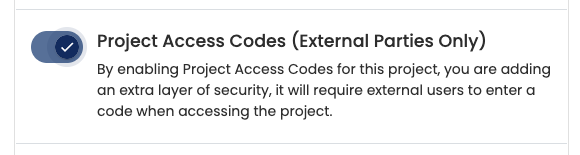
Access Codes provide an additional layer of security when collaborating with external parties. When enabled, external users must verify their identity before they can access a project, helping protect against forwarded invitation links and unauthorized access.
How Access Codes work
When Project Access Codes are enabled for a project:
- All external users are required to verify a 6-digit one-time access code sent to their email address
- The code must be entered before they can access the project
- No additional configuration is required - every external user will automatically use email verification
Project Access Codes only apply to external parties. Internal users are not prompted for an access code
Enabling Project Access Codes
- Open your project
- Navigate to Settings
- Enable the Project Access Codes toggle
Once enabled, all external users invited to the project will be required to verify their identity using a one-time access code sent to their email.
What external users will see
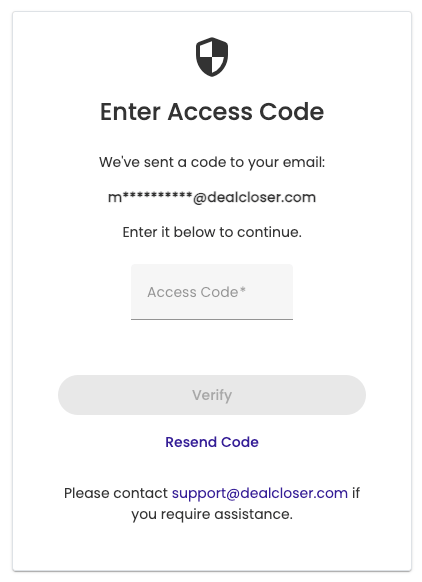
When an external user opens their invitation, they'll be prompted to enter a one-time access code.- DealCloser sends a 6-digit code to the user's email address
- The user enters the code to verify their identity
- Once verified, they are granted access to the project
If the code expires or isn't received, the user can select Resend Code to receive a new one.
Creating a Long-Lived Access Code (Optional)
In some situations, an external user may not be able to access the email address associated with their invitation. In these cases, a project manager can create a Long-Lived Access Code for that individual.
Unlike the default one-time email code, a Long-Lived Access Code remains valid until it is changed or removed, allowing it to be communicated through another trusted channel.
Warning: Long-Lived Access Codes should only be used when necessary. Because they do not expire after a single use, they provide a lower level of security than one-time email verification
To create a Long-Lived Access Code
- Open the People tab within the project
- Locate the external user
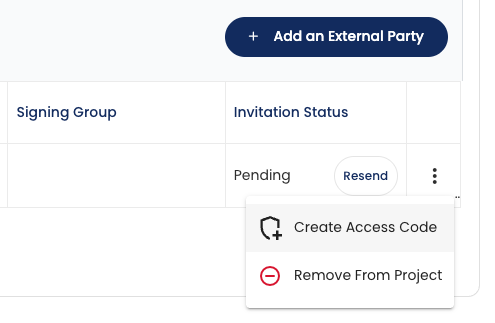
- Click the ⋮ menu at the end of their row
- Select Create Access Code (the user must be invited)
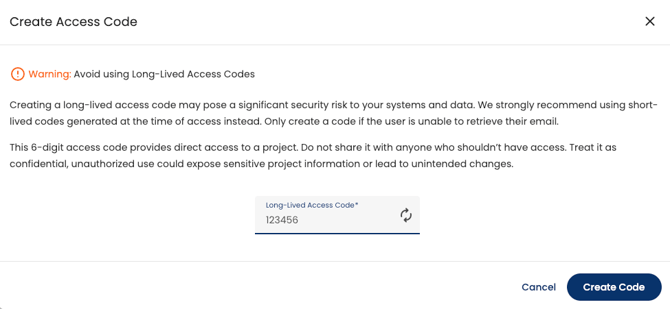
- Enter a 6-digit access code, or use the Generate button to create one automatically
- Click Create Code
Communicate the code to the user using a secure method outside of DealCloser.
Best Practices
- Use the default one-time email verification whenever possible
- Only create Long-Lived Access Codes for users who cannot receive email verification
- Treat Long-Lived Access Codes as confidential information and share them only through a trusted communication channel
- If you believe a Long-Lived Access Code has been compromised, generate a new one immediately
Project Access Codes provide a simple but effective way to strengthen security for external collaboration while allowing flexibility when email verification isn't practical.