![dealcloser-logo-onecolor-navy-2.png]](https://help.dealcloser.com/hs-fs/hubfs/dealcloser-logo-onecolor-navy-2.png?height=31&name=dealcloser-logo-onecolor-navy-2.png)
Make sure to add NetDocuments to your project. See How do I add NetDocuments to my project? to learn more about adding NetDocuments to your project.
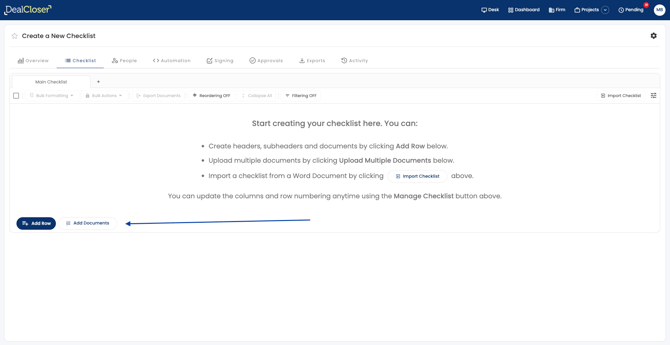
To upload documents in bulk from NetDocuments:
- Click "Add Documents."
- Click " From NetDocuments".
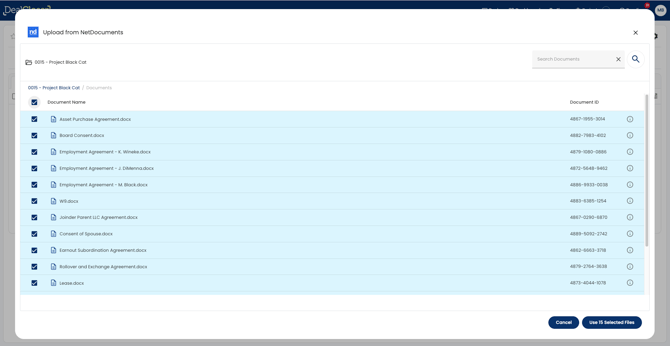
- Select files to upload to dealcloser.
- Click " Use Selected Files".
-
Add headers or subheaders as you continue to organize your Checklist
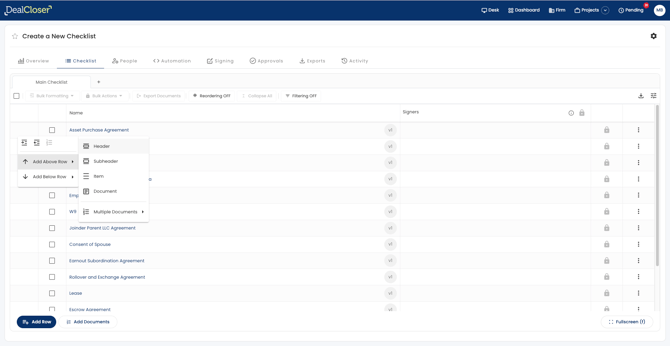
Documents uploaded from NetDocuments to DealCloser will now be linked between the two platforms. If a change occurs in one platform, DealCloser will detect this and ask if you want to update the other platform.
See How do I rename documents? to learn more about renaming a document.