![dealcloser-logo-onecolor-navy-2.png]](https://help.dealcloser.com/hs-fs/hubfs/dealcloser-logo-onecolor-navy-2.png?height=31&name=dealcloser-logo-onecolor-navy-2.png)
To create a new project:
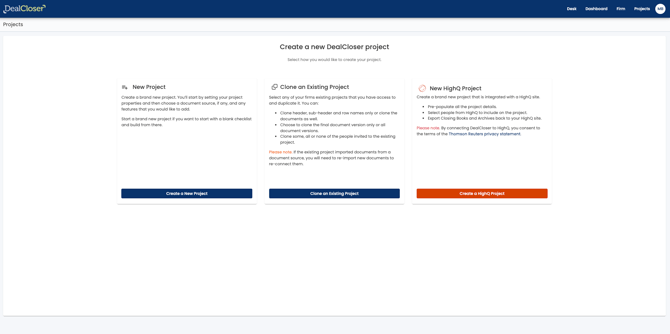
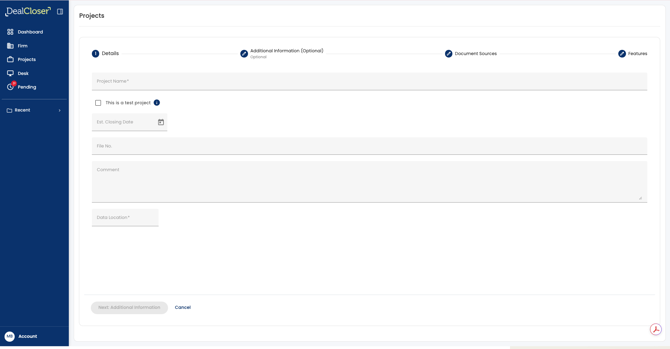
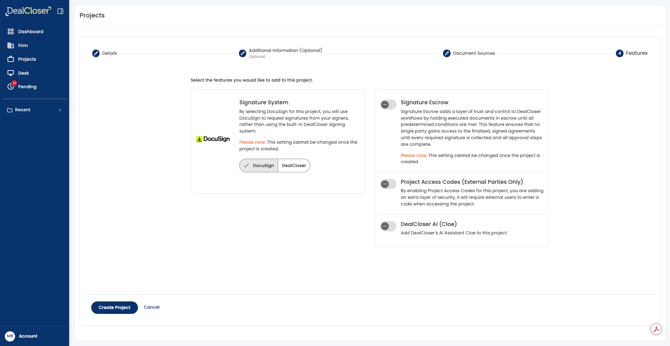
- Click "Create New"
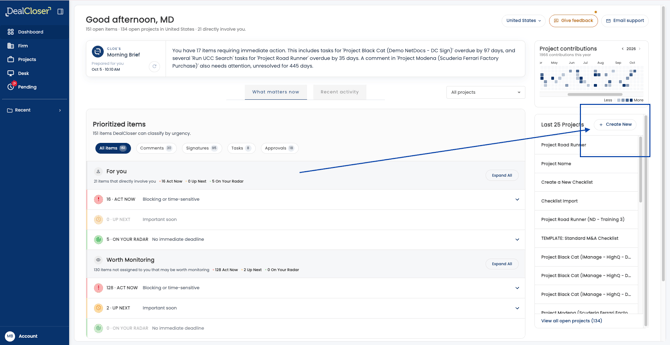
- click "Create New Project".
- The next screen will offer you the opportunity to:
- Create a New Project
- Clone an Existing Project
- (and for our HighQ integrated customers) Create a HighQ Project
If you are interested in learning more about HighQ and how it can integrate with DealCloser, please fill out the contact form with your request here.
- Enter in the project name, estimated closing date, file number and data location.
Please note: the data location you select determines the geographic region where that project's data will be stored. Once you select a data location it cannot be changed. You can change the project name, estimated closing date and file number at any time.
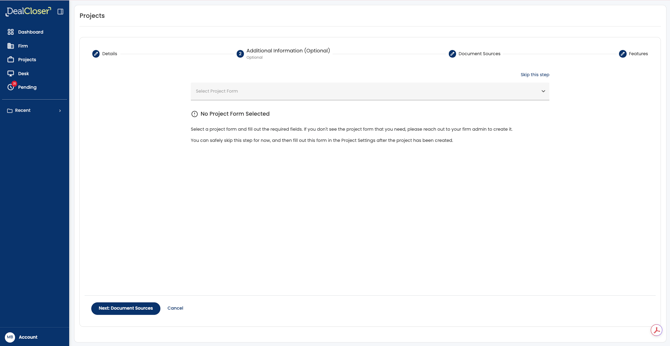
- Enter any additional information into a project form. If your organization does not use project forms, you may skip this screen.
- Select your signing platform and any additional features you'd like to include on this project.
Once a project is created, Additional Document Security Features cannot be added or removed from the project. See What are Additional Document Security Features? to learn more about Additional Document Security Features.